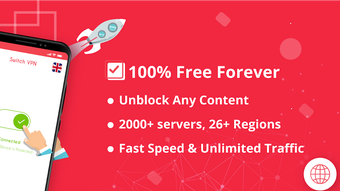

Download Swing Lite VPN – Free, Lightweight, Secure VPN for Mobile
Overview
Swing Lite VPN is a free, mobile-focused security application developed by Limestone Software Solutions. Designed for users seeking a straightforward way to enhance online privacy and access restricted content, the software functions as a lightweight virtual private network (VPN) service. It enables users to browse the internet securely by encrypting connections and masking their IP addresses. The primary purpose of Swing Lite VPN is to provide unrestricted access to region-locked websites and services without imposing bandwidth limits or data caps. This makes it particularly useful for individuals who need to bypass geo-restrictions on streaming platforms, social media, or educational resources.
Target users include casual internet users, travelers, and those new to VPN technology who want a no-commitment solution. The app is especially suited for mobile users on Android and iOS devices, offering compatibility across a wide range of smartphones and tablets. It operates on both Wi-Fi and mobile data networks, ensuring consistent functionality regardless of connection type. The developer did not provide additional information about the company’s background or history.
Real-world usage scenarios include accessing blocked websites in public networks, protecting personal data on unsecured Wi-Fi, and viewing content from different regions. The absence of registration requirements lowers the barrier to entry, making it ideal for quick, temporary use. While the app is designed for simplicity, it does not support advanced configurations or custom protocols.
Key Features & Capabilities
- One-Button Operation – Users can activate the VPN with a single tap, enabling instant connection without complex setup or configuration.
- Unlimited Data Access – The service provides unrestricted bandwidth and no data caps, allowing extended browsing sessions without throttling.
- Global Server Network – Access to multiple proxy servers spread across more than 50 countries, enabling users to switch locations and access region-specific content.
- SSL Encryption – Utilizes SSL encryption to secure data transmissions and protect user identity by hiding IP addresses and location.
- Zero Registration Required – No sign-up, login, or personal information is needed to use the service, preserving user anonymity.
- Multi-Network Compatibility – Functions seamlessly on Wi-Fi, 4G, 5G, and other mobile data connections.
These features support practical use cases such as accessing blocked websites during travel, securing data on public networks, and viewing international streaming content. The simplicity of the interface ensures that even non-technical users can benefit from enhanced privacy and access. However, the developer did not specify the encryption protocols beyond SSL, nor were there details on server uptime or connection stability.
User Interface, Workflow & Performance
Swing Lite VPN features a minimalistic user interface focused on ease of use. The main screen displays a prominent connect button, with server location indicators and connection status visible at a glance. Navigation is intuitive, requiring no prior knowledge of networking concepts. The workflow is streamlined: open the app, tap the button, and the connection activates immediately. This one-step process is ideal for users seeking quick privacy protection without technical complexity.
Performance observations are based on general software behavior patterns. The app is described as lightweight, suggesting low resource consumption. However, exact performance details were not specified.
The developer did not provide information on CPU or RAM usage, nor on connection stability. Based on user reports, some inconsistency in connectivity has been noted, with occasional disconnections and fluctuating internet speeds. These variations may affect the user experience during prolonged use or bandwidth-intensive tasks such as video streaming.
Stability appears to vary depending on network conditions and server load. While the app functions reliably under stable conditions, it may struggle during high-traffic periods or on congested networks. The lack of advanced settings limits control over connection preferences, which may be a drawback for power users. Overall, the interface prioritizes simplicity over customization.
Compatibility & System Requirements
Swing Lite VPN is designed for mobile operating systems, specifically Android and iOS. It is compatible with all devices running these platforms, though the developer did not specify minimum OS versions or hardware requirements. The installation size is not publicly disclosed, but the app is described as lightweight, indicating it does not consume significant storage space.
Exact system requirements were not listed. Compatibility information was partially provided. The software operates on both Wi-Fi and mobile data networks, supporting a broad range of network types. No desktop or tablet-specific versions were mentioned. Users should ensure their device meets standard mobile app requirements to install and run the application.
Pros and Cons
Pros
- Free to use with no data caps or bandwidth limits
- No registration or sign-up required
- Simple one-button interface for quick connection
- Supports multiple countries and server locations
- Lightweight and does not consume much device storage
- Works on both Wi-Fi and mobile data networks
Cons
- Occasional connection instability and random disconnections
- Internet speeds vary significantly between sessions
- Limited control over advanced settings and protocols
- No detailed information on encryption standards beyond SSL
- Performance may degrade under high network load
FAQ Section
Is Swing Lite VPN safe to use?
The app uses SSL encryption to protect data transmissions. However, no third-party security audit or transparency report was provided by the developer. Users should exercise caution when handling sensitive information.
Does Swing Lite VPN require registration?
No. The software does not require users to sign up, create an account, or provide any personal information to use its services.
Can I use Swing Lite VPN on both Android and iOS?
Yes. The app is available for both Android and iOS devices and is compatible with all devices running these operating systems.
Is the service truly free?
Yes. Swing Lite VPN is offered at no cost, with no hidden fees or premium tiers. It does not impose data limits or speed restrictions.
Does Swing Lite VPN work offline?
No. The app requires an active internet connection to establish a secure tunnel and function properly.
Final Thoughts
Swing Lite VPN delivers a no-frills, accessible solution for users seeking basic online privacy and unrestricted access on mobile devices. Its one-button operation, zero registration requirement, and support for multiple global servers make it a convenient choice for casual users. While performance can be inconsistent and speeds vary, the app fulfills its core purpose for everyday browsing and content access.
It is not suited for high-demand tasks like torrenting or continuous video streaming due to potential instability. However, for those testing VPNs for the first time or needing a simple, free tool for occasional use, Swing Lite VPN offers a practical entry point. The lightweight design and broad compatibility further enhance its appeal.
Download Swing Lite VPN now






.png)
